NOTE: This page is under contruction
Unity3D or Unity is a game engine used to create games. These games can be single player or multiplayer. This program can also be used to create worlds like Adobe Atmosphere, however there is no default chat.
A chat function can be added using the Unity Store. In the past, there were several free versions as well as paid versions. I chose the free version and was able to use it successfully. A few of my environments use it. I tweeked some code and by clicking on a small red button, the color changed to green and a chat window opens up. This function uses an http chat style, so there is no moderation to control bad words, but most people that I have spoken to online using Atmosphere have all been well behaved.
In any case, if anyone is interested in creating games, you may download a free version of Unity by going to www.unity.com.
I currently use version 5.2.5 on my old XP Pro, and it is the last version that will work on XP.
I also have successfully used Unity version 2018, and it runs great on my 64 bit Windows 7 Professional. This same version also runs well on Windows 10 64 bit.
Currently there is a 6000 version, but from what I understand, it is on the cloud. Not sure if we can actually download it and install it on our own personal computers. At present, I have not downloaded anything from Unity.
I create all my own trees using the built-in tree creator and have several "test" environments with these trees and gentle breeze (one is a dust storm) which is not a gentle breeze. I have even created my own powerlines and use a cloth physics on them. The actual "wire" was created in Blender, then imported into unity.
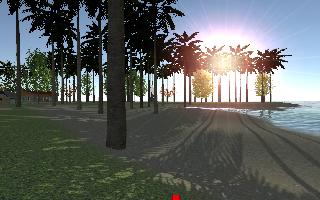
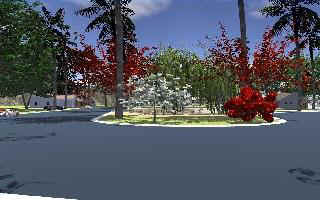
Here are some environments which are chat enabled. Chat functions are minimal (send and receive). There is no option yet on listing all users. This will be available sometime in the future.
Just click on the images to access the environments. These environments are "works in progress" at this time.
Island - Future Download |
Island - WebGL |
Mountain Bay - Future Download |
| Will run on Windows XP
using Firefox only, Will run on Windows 7, 8, 8.1, 10, 11 using the
latest Internet Explorer (11) allow ActiveX, and may possibly run on Firefox. Click Below. |
For WebGL to work, it
will only run on Windows 7 64bit and higher. Works great with Windows 10. (Internet
Explorer 11) Must ReCreate! Click Below. |
Will run on Windows XP
using Firefox or IExplorer. Will run on Windows 7, 8, 8.1, 10. Use the latest
Internet Explorer (11). Allow ActiveX, and may possibly run on Firefox. Click Below. |
|
|
|
The Environments using the Standalone Player: In the near future, I will place a zipped folder with the .exe file and the corresponding folder in the downloads folder on my site. I will place the link here in the near future.
This page was last updated on Thursday, February 26, 2026.